
New to BookBidder? Start Here
Welcome to BookBidder, the campaign management and optimization platform built specifically for self-published authors who run Amazon Ads to promote their KDP books.
If you've ever spent hours digging through Amazon's Ads console trying to figure out which keywords are wasting money, which campaigns need attention, or whether your ACoS is trending in the right direction, that's the problem BookBidder solves.
What BookBidder Does
BookBidder connects directly to your Amazon Ads account through Amazon's official API. Once connected, it pulls in all your Sponsored Products and Sponsored Brands campaign data, including campaigns, ad groups, keywords, product targets, and search terms, across every marketplace you advertise in (US, UK, DE, and more).
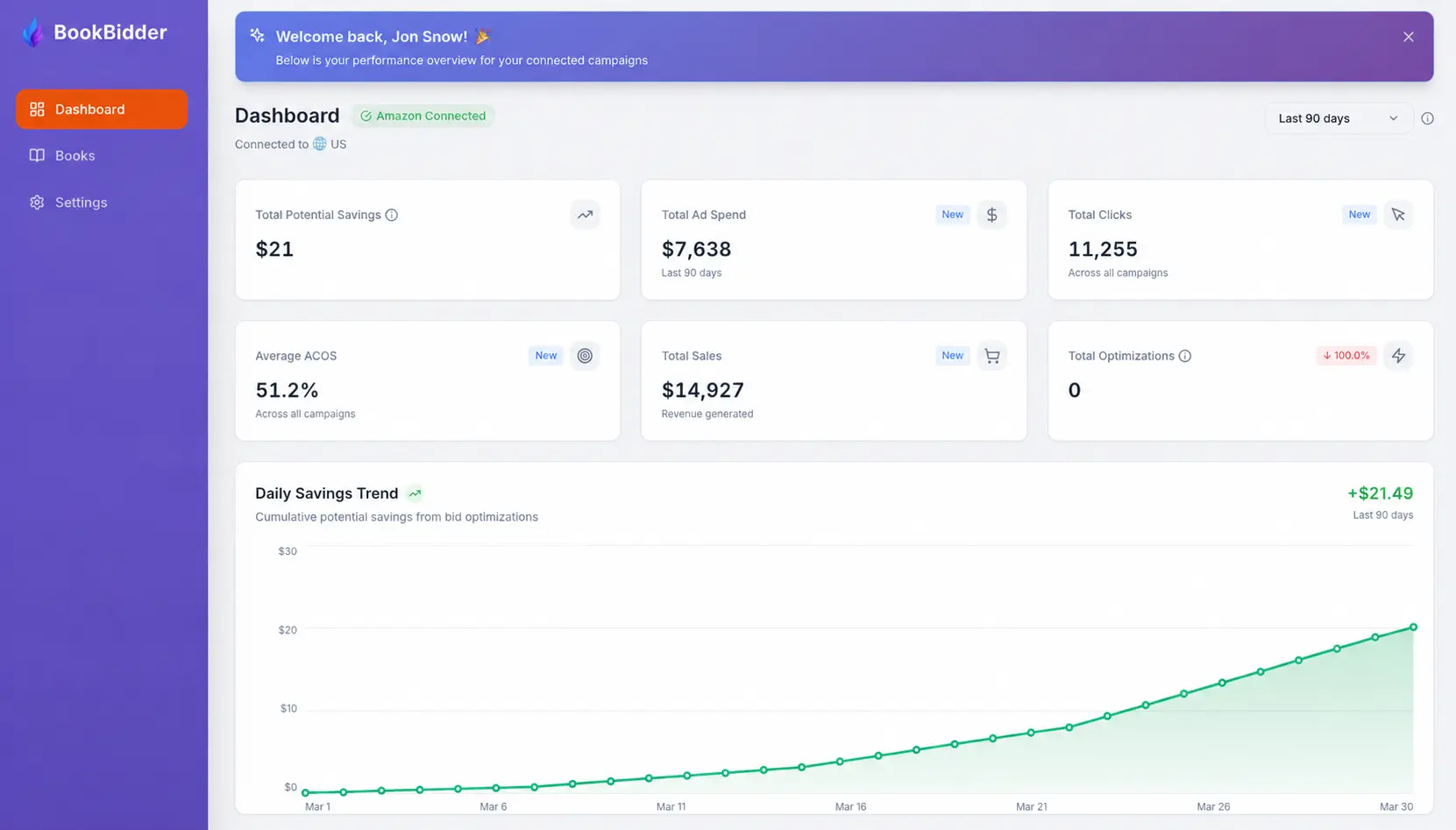
From there, BookBidder gives you three things:
A cleaner view of your campaigns. Your dashboard shows the metrics that matter (ACoS, spend, impressions, clicks, and orders) without the clutter of Amazon's native interface. You can sort, filter, and drill into campaigns quickly.
Smart Rules to automate your bid management. Instead of manually pausing underperforming keywords or negating wasteful search terms every week, Smart Rules let you define conditions and BookBidder applies them automatically.
Ad Insights to flag what needs attention. Every week, BookBidder's diagnostic engine scans your campaigns and highlights what's working (green), what's worth watching (yellow), and what needs action (red). You get this as a report in the app and a weekly email summary.
Who Is BookBidder For?
BookBidder is built for KDP authors who are already running Amazon Ads, or who have run them before and got frustrated by the manual effort involved. You don't need to be a PPC expert. If you know what a campaign and a keyword are, you have enough background to get value from BookBidder.
Get Started in 4 Steps
Follow these guides in order to get up and running:
- Connecting Your Amazon Ads Account. Link your Amazon Ads account to BookBidder in about 2 minutes.
- Setup Your Bid Strategies on Autopilot. Understand your dashboard and configure how BookBidder optimizes your campaigns.
- Enabling Smart Rules. Create automation rules that pause underperformers and negate wasteful search terms while you sleep.
- Ad Insights Explained. Learn how to read your weekly campaign diagnostic report and act on what it finds.
Have questions? Check the FAQ & Troubleshooting for quick answers to common issues.